
Write it like a text
Coach Email lets you write to the whole alumni base the way you would write a text, and sends it looking like your program. No template picker, no drag-and-drop, no words changed.
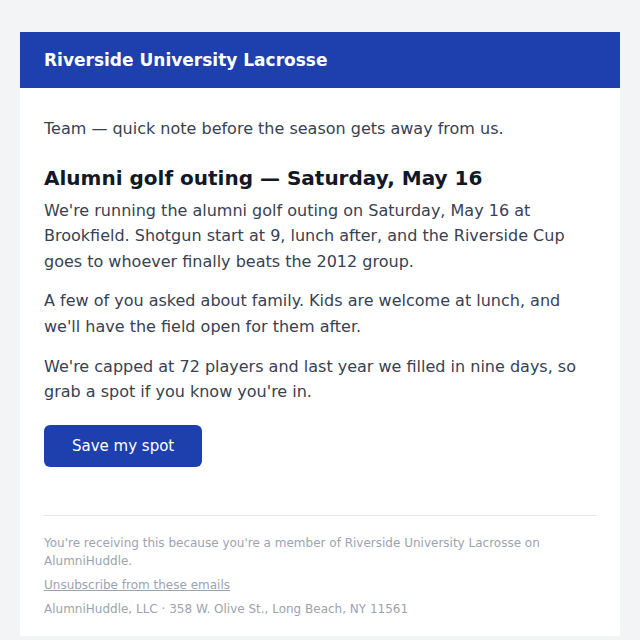
Most coaches have an email they have been meaning to send for three weeks. The golf outing. The senior send-off. The guy in Charlotte who is hiring.
It does not get sent because sending it is a project. Export the addresses from somewhere. Paste them into a mail tool nobody has logged into since last spring. Fight a template picker. Wonder if it will look broken on a phone. Eventually you text six people who you know will answer and the other two hundred never hear it.
What changed
Coach Email is in your admin under Email. You write the email the way you would write a text.
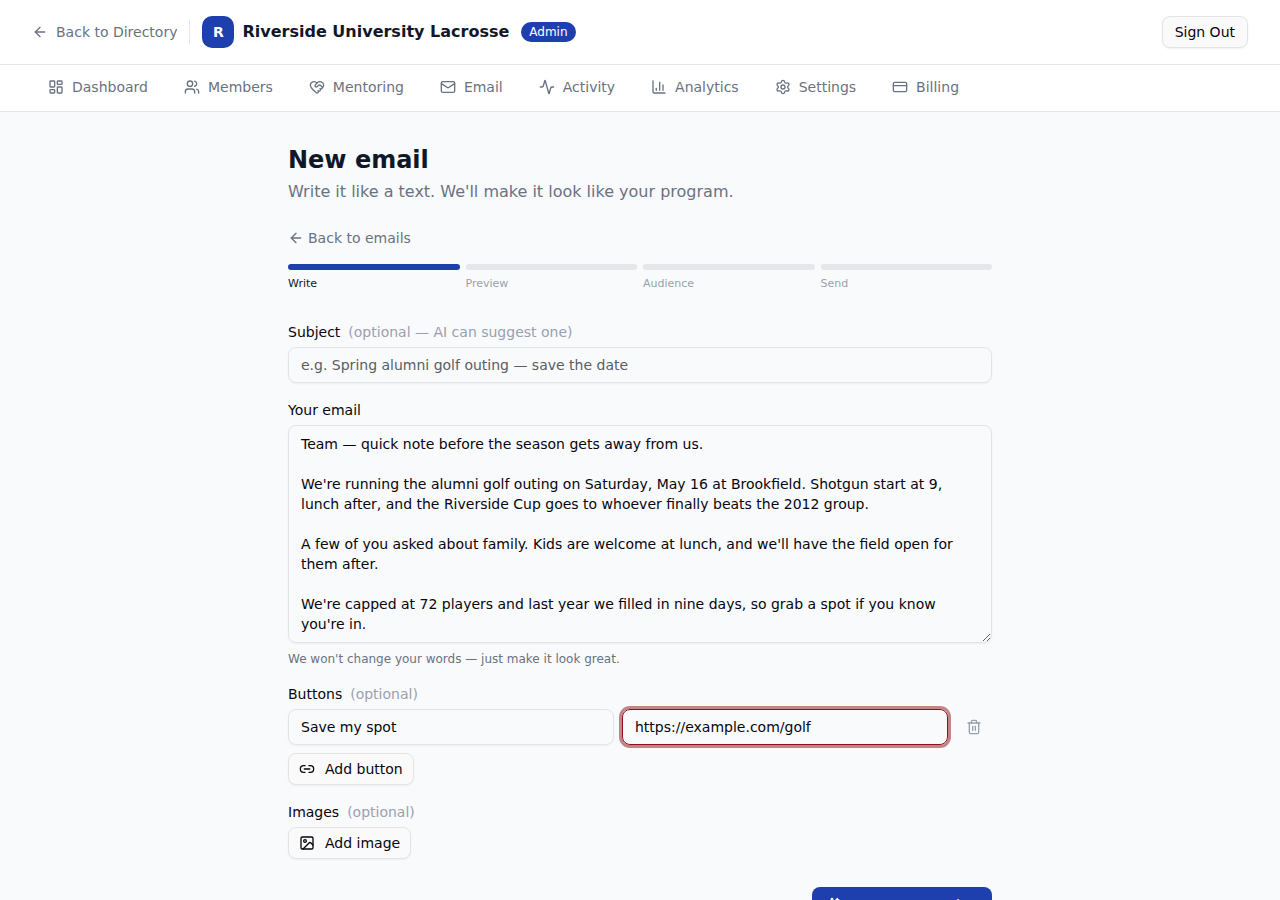
No template picker, no drag and drop, no blocks to arrange. Type it, or paste what you already wrote in your notes app.
It lays it out for you
Hit Format and it comes back in your program's colors, with your headline pulled out and the button where a button goes.
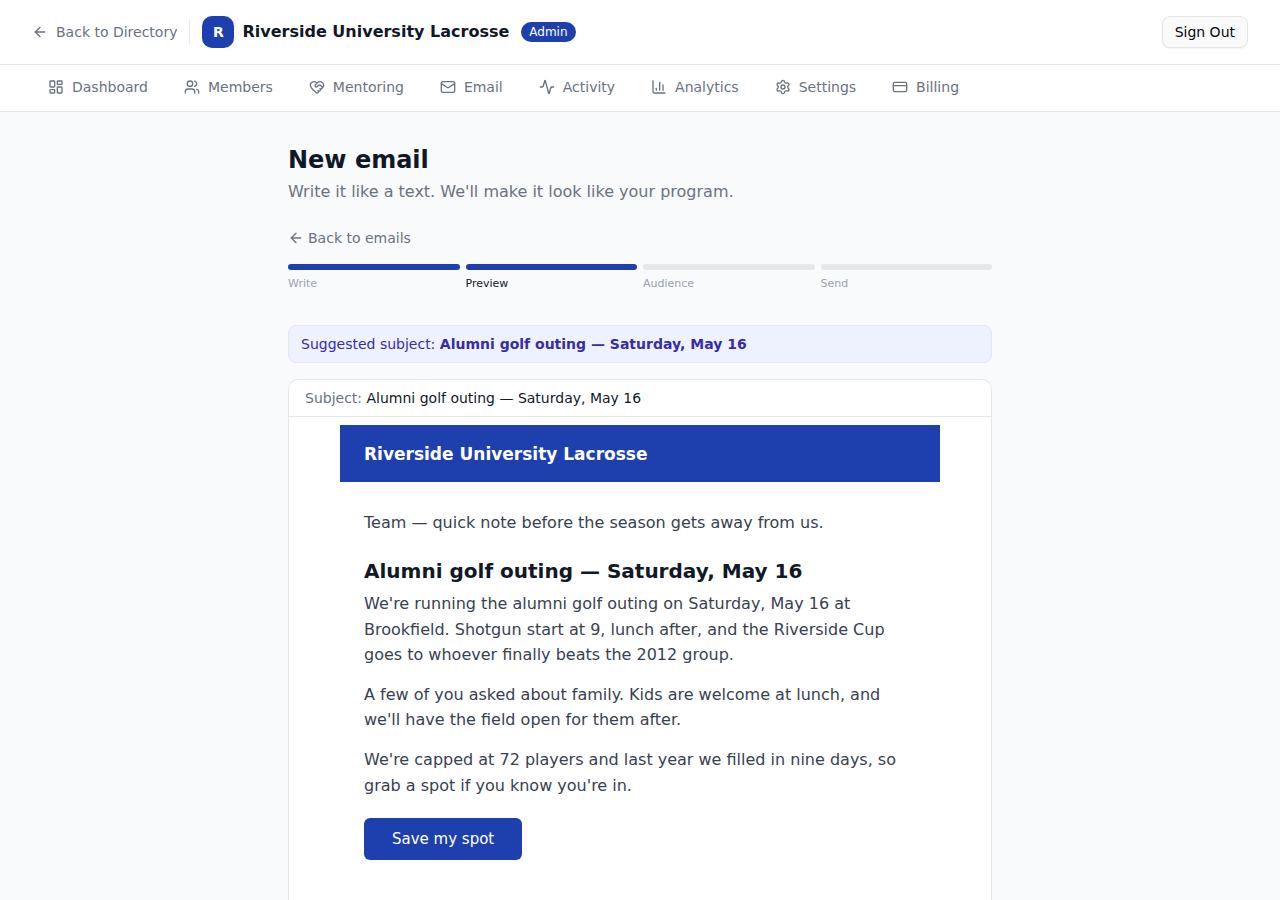
The one rule it follows: it does not change your words. It decides what is a heading and where the button sits. The sentences are yours, exactly as you typed them.
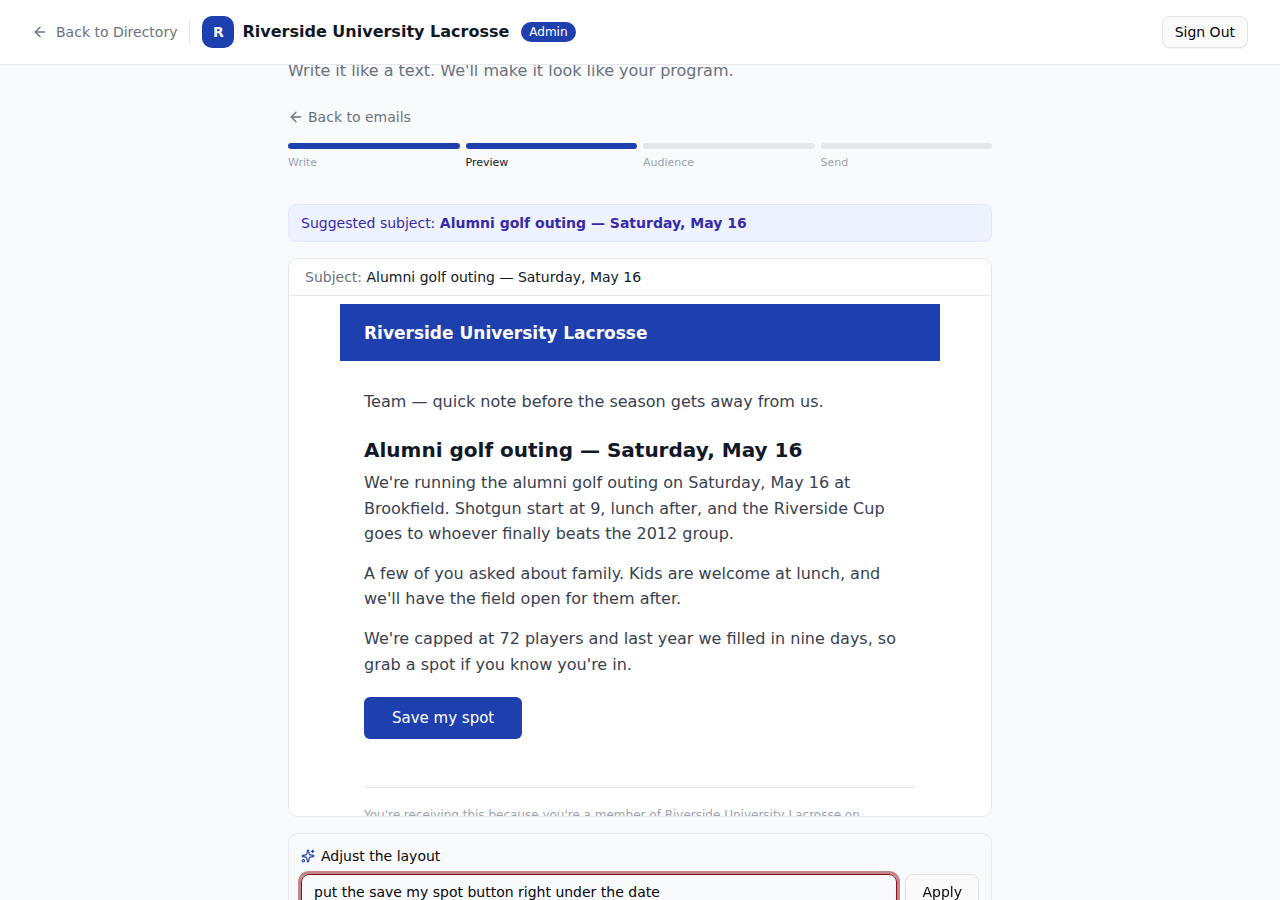
If the layout is not what you pictured, say so in plain English.
Then pick who gets it
Everyone with an email on file, or a slice: a city, a class year, a subgroup, or people you pick by hand.
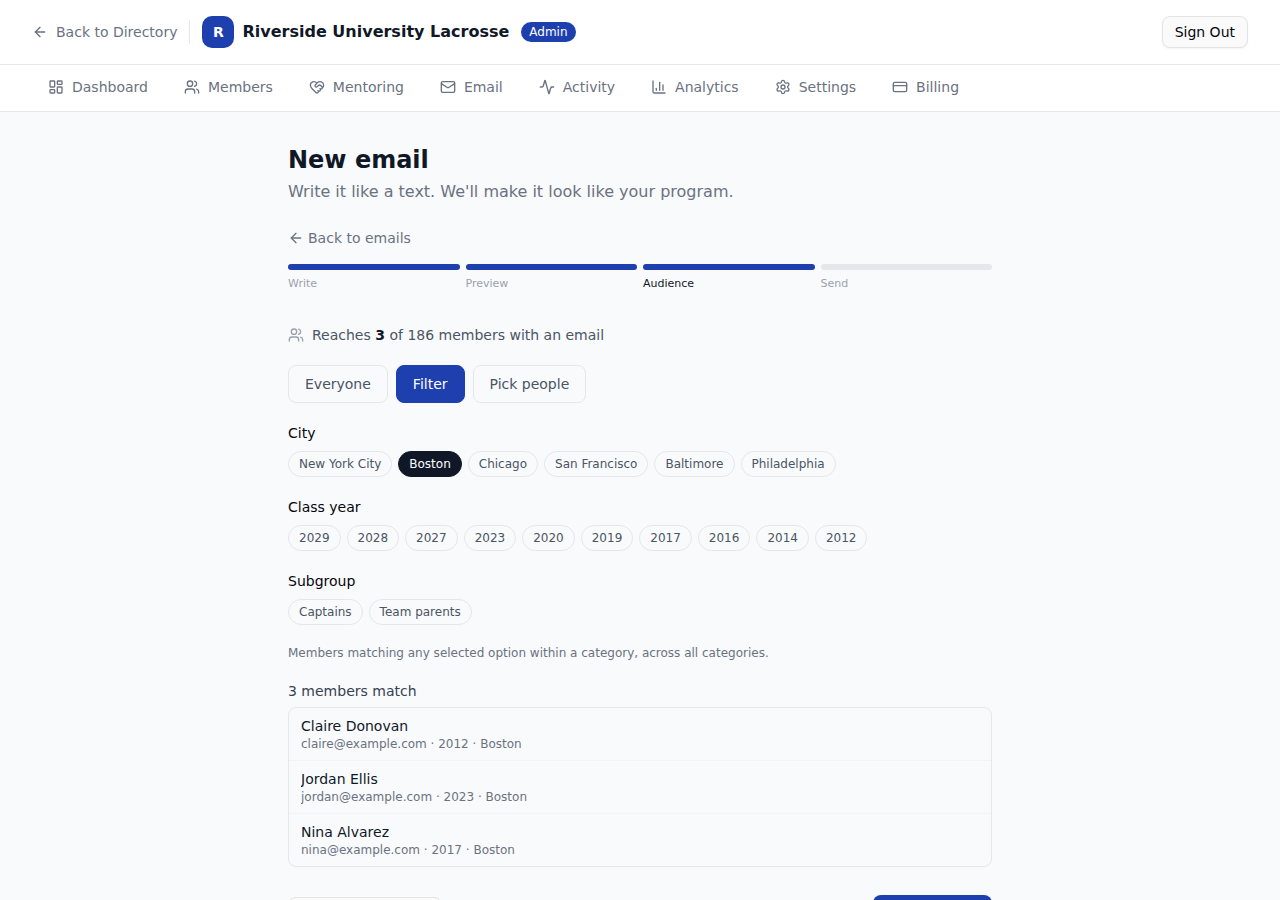
The list of names under the filter is there on purpose. Nobody should send to a group they cannot see.
Send it now, or schedule it for Tuesday morning when people actually read email. Every send carries an unsubscribe link and your program's reply-to address, so replies come back to you and not into a void.
One thing to try this week
Send the email you have been meaning to send. It is the one you already wrote in your head on the drive home.
Not on AlumniHuddle yet?
Every update here ships to every program, at one price. Fifteen minutes is enough to see what it would look like for yours.
See pricing and book a demo →