
What's new, in one place
The announcements page is now News, a feed of everything happening in your network. New posts wait at the top until you've seen them, and on a phone every page is one tap away.

A lot happens in a network that nobody sees.
An alum takes a player's call and gets a thank-you note. Six people sign in for the first time in the same week. A 2016 grad starts her own company. Someone posts an internship at their firm. Each of those is a reason for somebody else to log in and reach out. Almost none of it was visible unless you went looking for it, one profile at a time.
Meanwhile the announcements page held the coach's posts and nothing else. If you'd already read the latest one, there was no reason to go back.
What changed
The announcements page is now News. It's one feed of everything going on in the network, newest first.
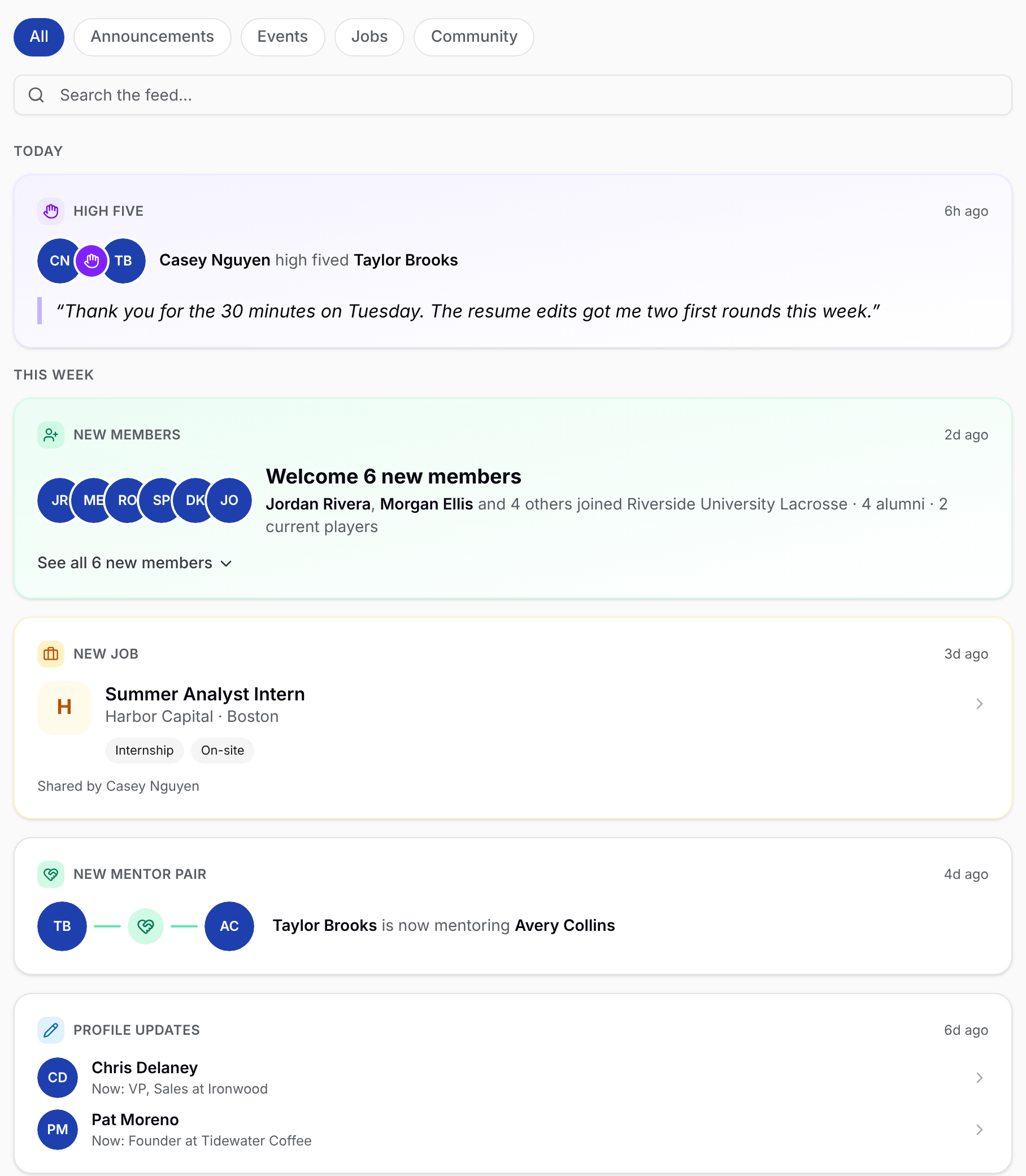
Every kind of activity gets its own card:
- New members, grouped by week, with who they are and the alumni/player mix. Tap to see all of them.
- Profile updates: new jobs, new titles, new companies.
- High fives, with the note. This is the card people actually stop on.
- New mentor pairs, once both people have confirmed.
- Jobs posted to your board.
- Milestones as the network grows: 25 members, 50, 100, and so on.
Filters across the top (Announcements, Events, Jobs, Community) and a search box narrow it down when you want one thing.
Your posts don't get buried
Anything a member hasn't seen yet waits at the top under New for you, and stays there until they open it or tap Got it. A career night you post on Monday is still the first thing a player sees on Thursday, even if twenty other things happened in between.
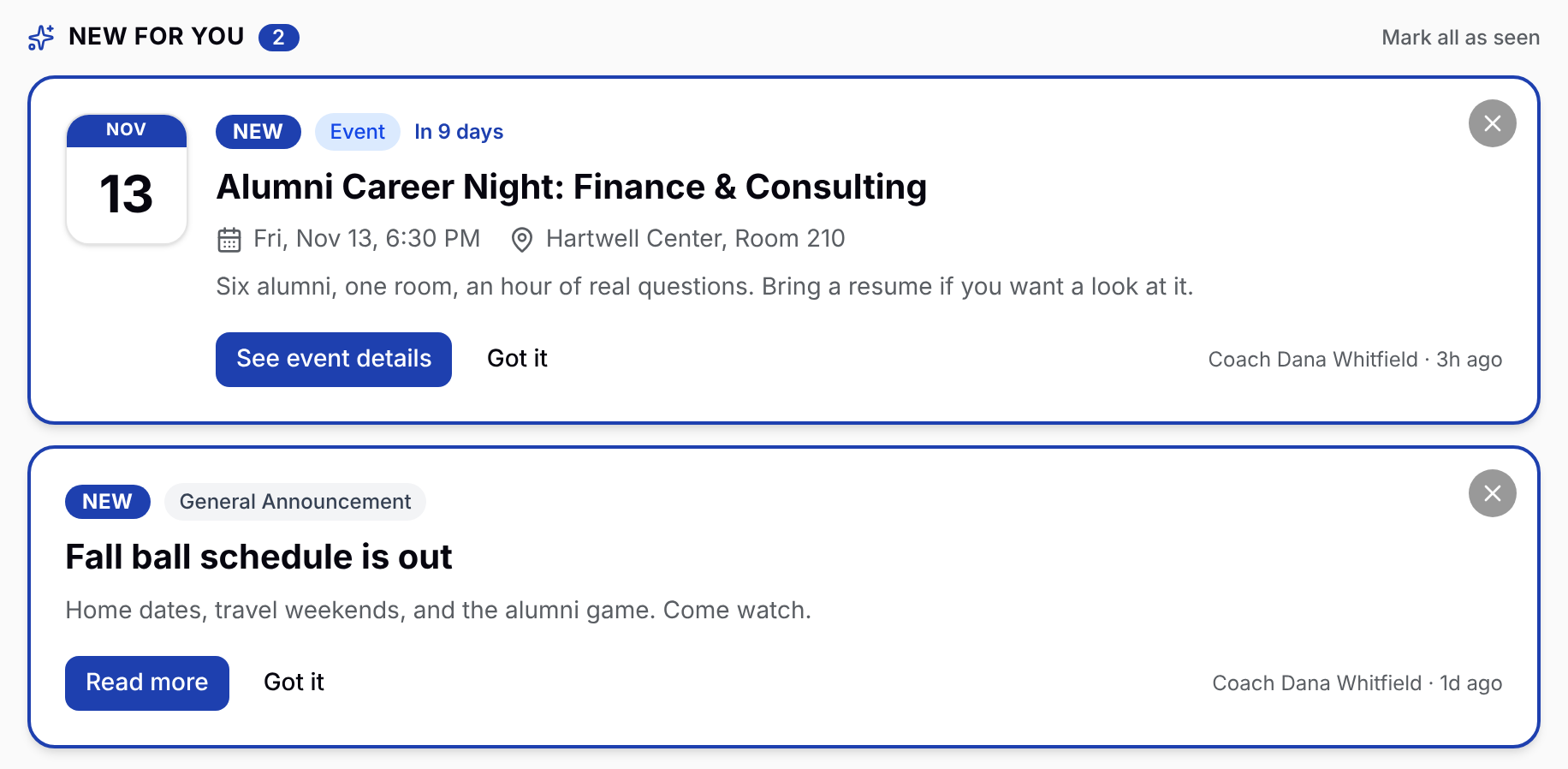
Events leave that spot on their own once they've happened, so nobody is told about a tailgate that ended last week.
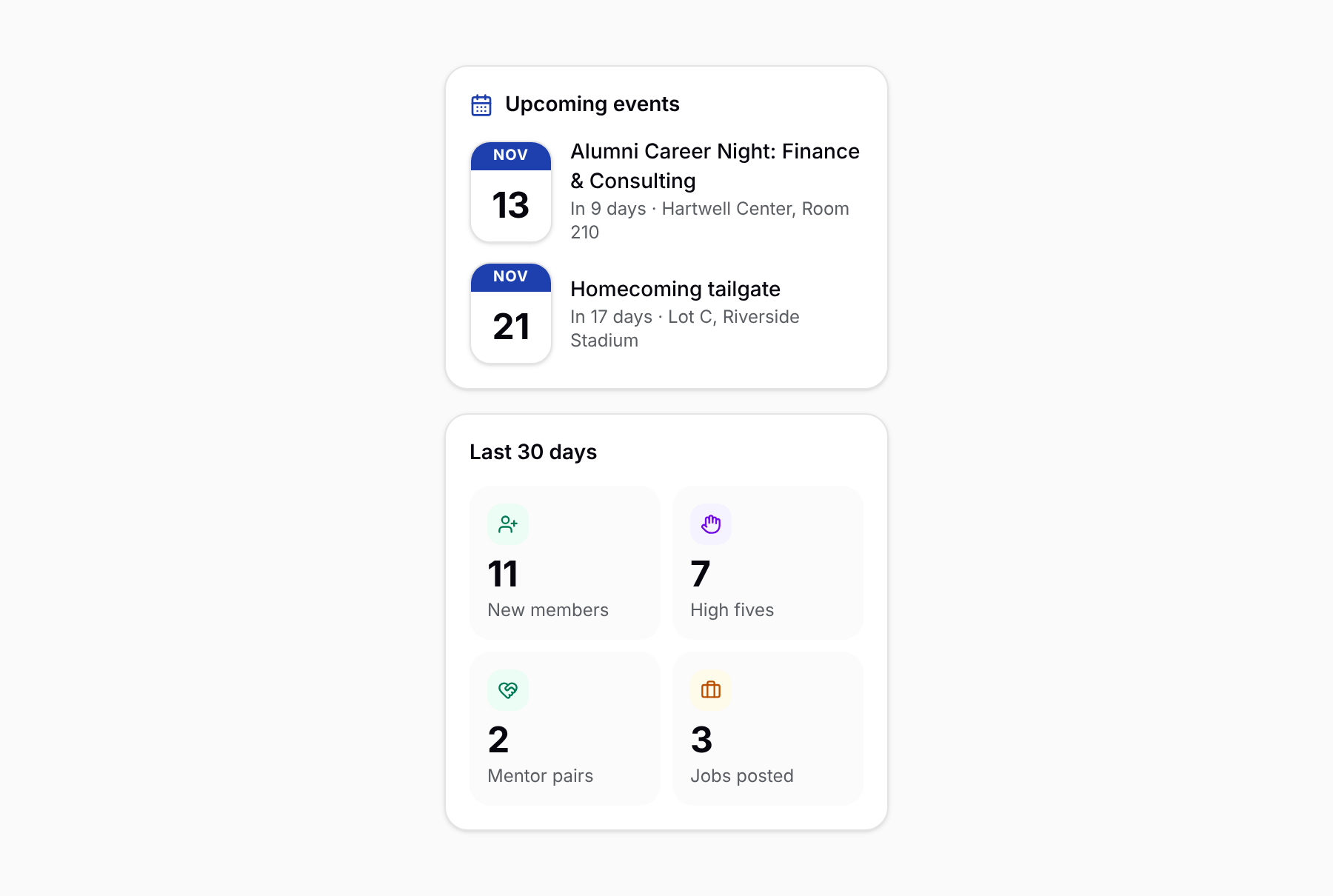
On a laptop, the right side of the page shows what's coming up and a quick read on the last month.
Easier on a phone
Most members open AlumniHuddle on a phone, usually from a link in an email. Getting from the directory to the job board used to mean opening a menu first.
Now there's a tab bar along the bottom: Directory · News · Jobs · Huddle AI · Profile. Your most-used pages are one tap from anywhere.
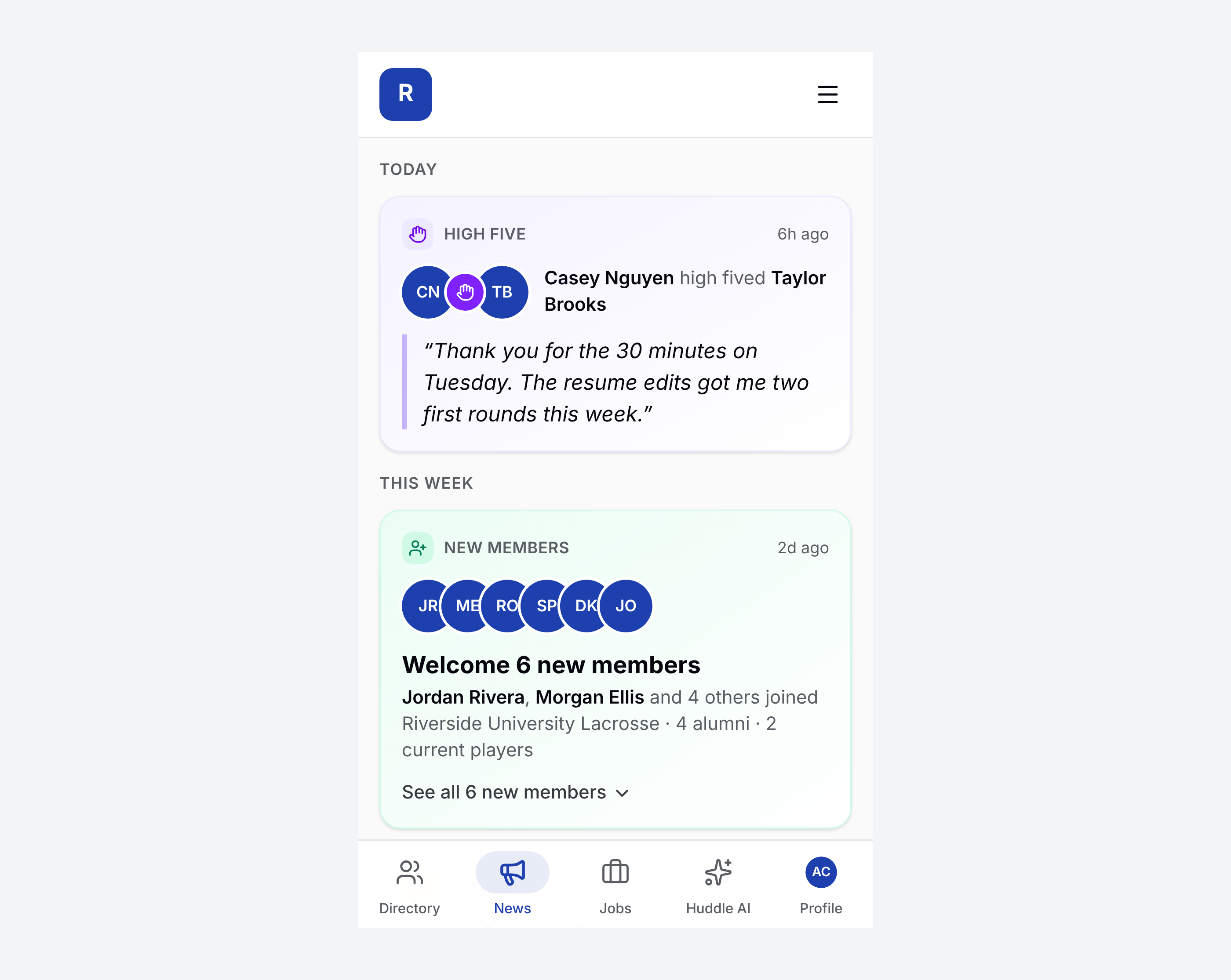
Switching tabs is quicker too. The header and tab bar stay where they are and only the page underneath changes, so a tap feels like an app instead of a new website loading. The tab only shows features your program has turned on, so if you don't use the job board, members won't see a Jobs tab.
If members have added the network to their home screen, it now feels the way an app should.
For coaches
You don't need to set anything up. The feed is built from things already happening in your network: your announcements, jobs, high fives, mentor pairs, and people joining and updating their profiles. If high fives or the job board are off for your program, those cards don't appear.
Parents see announcements and jobs only, never other members' activity, the same as everywhere else.
One thing to try this week
Post one announcement, even a short one. Every member will see it at the top of News the next time they open it, and it'll stay there until they've read it. That's the easiest way to give people a reason to come back.
Not on AlumniHuddle yet?
Every update here ships to every program, at one price. Fifteen minutes is enough to see what it would look like for yours.
See pricing and book a demo →