
The team down the hall
Sibling programs at the same school can now see each other's directory, job board and announcements — with three separate switches, so you share exactly what makes sense and nothing else.

The men's and women's programs at the same school share a field, a weight room, a training staff and about four hundred alumni who all went to the same place.
They do not share a network, though. A junior on one side who wants to talk to someone in health care is looking at her own roster's alumni and nobody else's — while forty feet away there is a directory with exactly the person she needs in it.
The two coaches know this. They have been forwarding each other emails for years.
What changed
Two programs can be linked. Once they are, their members see each other.
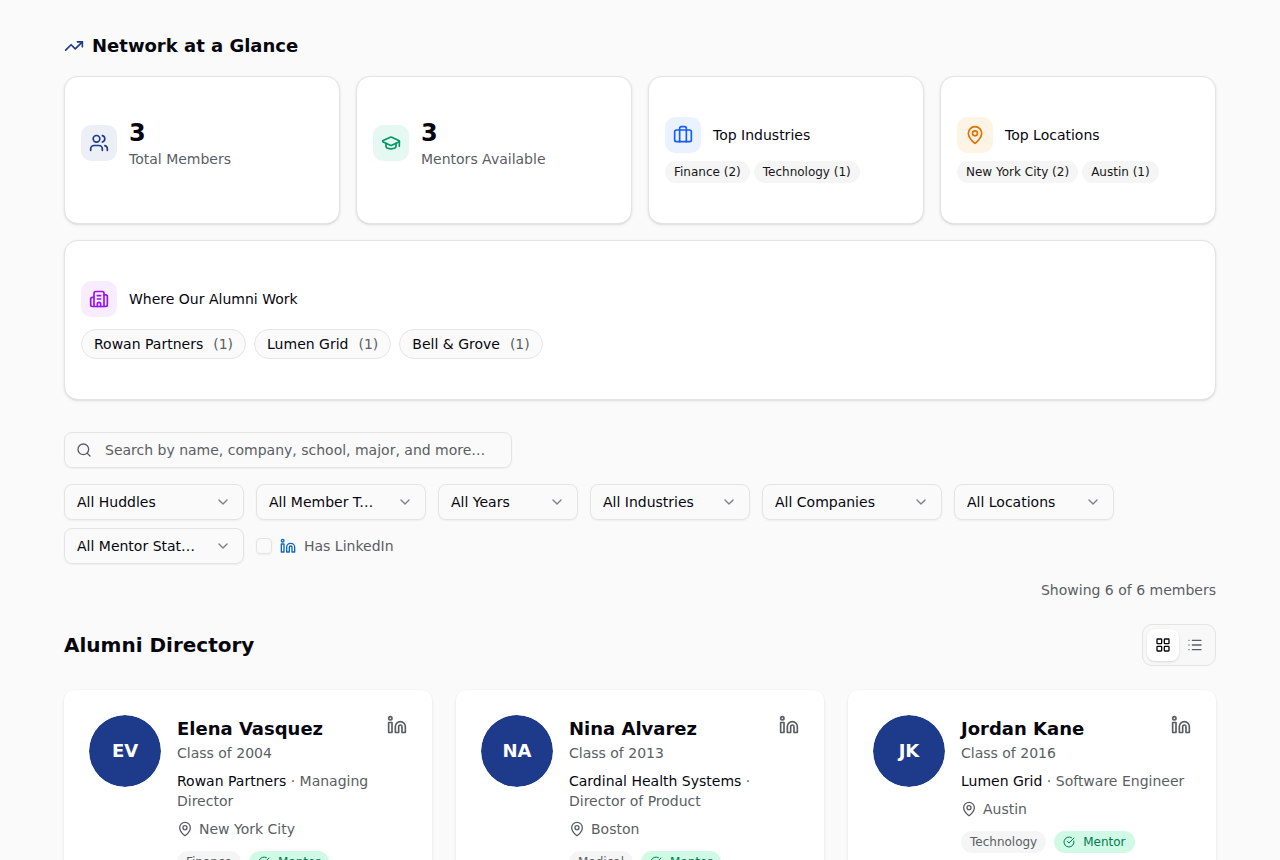
Look at the two numbers on that page. Network at a Glance says three members. The list says six. That is deliberate: the stats stay yours — your members, your industries, your cities, your renewal conversation — while the searchable directory is the bigger one. Linking never rewrites your program's own numbers.
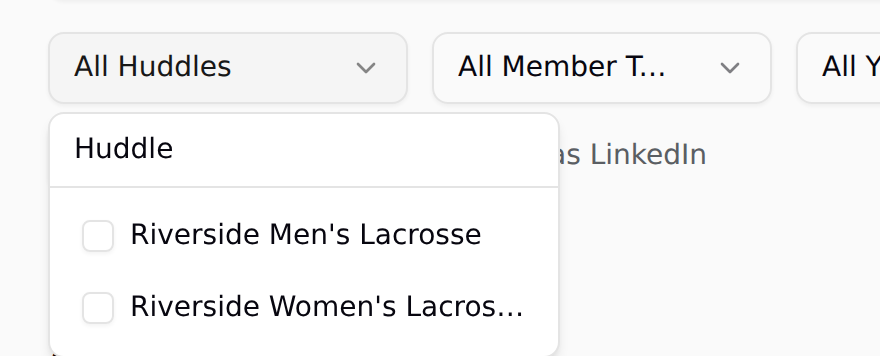
When you want to narrow it, there is a filter for that. It only appears when there is something to filter.
Everything foreign is marked
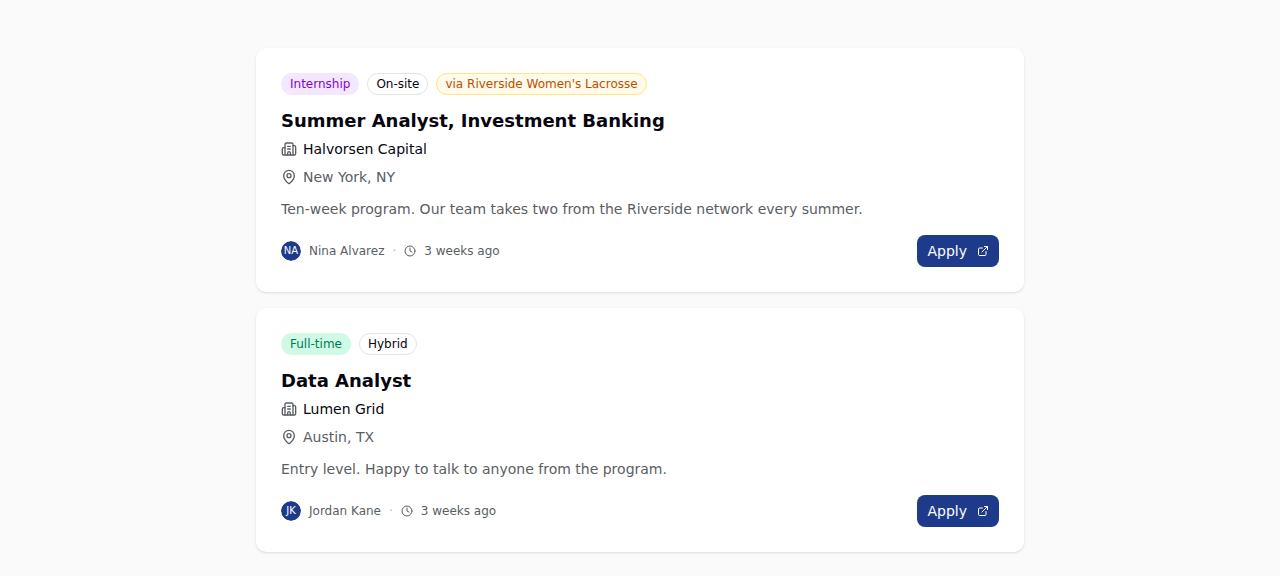
A job from the linked program lands on your board like any other, wearing a small amber tag.
Same for announcements — so when the other program runs a career panel, your alumni actually hear about it.
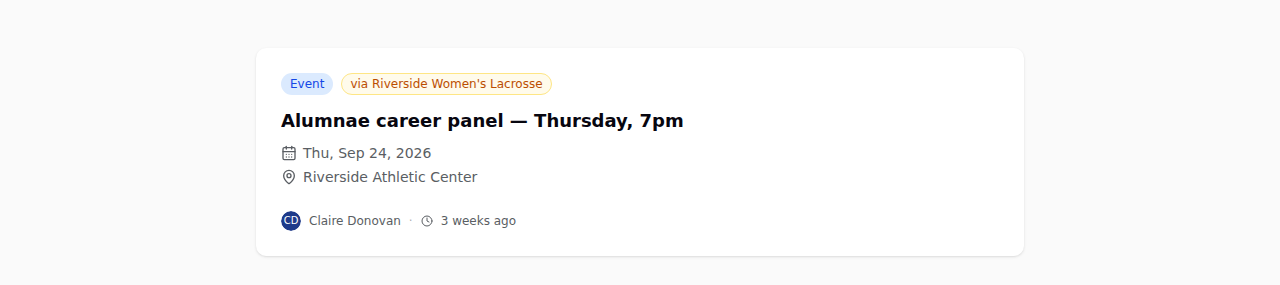
That tag matters more than it looks. Nothing arrives pretending to be yours. A member always knows which program a post came from, which is the difference between a shared network and a merged one.
Here it is end to end:
Three switches, not one
Sharing is not all-or-nothing. Directories, job posts and announcements are three independent toggles, and they apply in both directions.
Most pairs start with jobs only — it is the least sensitive thing to share and the easiest win, since a job posted to one program's alumni is useful to the other's on day one. Directories are the bigger step, and worth talking through first. Announcements are the one to turn on when the two programs actually do things together.
A few things that do not change when you link:
- Emails stay yours. Your digest goes to your members and nobody else's. Linking never widens an email list — though shared jobs and announcements do get included in your digest, tagged the same way.
- Member management stays yours. You approve your members; they approve theirs.
- Huddle AI stays local. Mentor matching runs on your own network.
For coaches
Tell us who you want to link to and which of the three you want on, and we will set it up — including starting the conversation with the other program if you would rather we did. It takes a minute, and every switch is reversible.
One thing to try this week
Ask the coach of the sibling program whether they would turn on shared job posts. It is the easiest yes in the building, and it doubles the board for both of you by Friday.
Not on AlumniHuddle yet?
Every update here ships to every program, at one price. Fifteen minutes is enough to see what it would look like for yours.
See pricing and book a demo →